Example: Litefuse Prompt Management with Langchain (Python)


Litefuse Prompt Management helps to version control and manage prompts collaboratively in one place. This example demostrates how to use prompts managed in Langchain applications.
In addition, we use Litefuse Tracing via the native Langchain integration to inspect and debug the Langchain application.
Setup
%pip install langfuse langchain langchain-openai --upgradeimport os
# Get keys for your project from the project settings page: https://litefuse.cloud
os.environ["LANGFUSE_PUBLIC_KEY"] = "pk-lf-..."
os.environ["LANGFUSE_SECRET_KEY"] = "sk-lf-..."
os.environ["LANGFUSE_BASE_URL"] = "https://litefuse.cloud"
# Your openai key
os.environ["OPENAI_API_KEY"] = "sk-proj-..."from langfuse import get_client
from langfuse.langchain import CallbackHandler
# Initialize Langfuse client (prompt management)
langfuse = get_client()
# Initialize Langfuse CallbackHandler for Langchain (tracing)
langfuse_callback_handler = CallbackHandler()Add prompt to Litefuse Prompt Management
We add the prompt used in this example via the SDK. Alternatively, you can also edit and version the prompt in the Litefuse UI.
Namethat identifies the prompt in Litefuse Prompt Management- Prompt with prompt template incl.
{{input variables}} - Config including
model_nameandtemperature labelsto includeproductionto immediately use prompt as the default
langfuse.create_prompt(
    name="event-planner",
    prompt=
    "Plan an event titled {{Event Name}}. The event will be about: {{Event Description}}. "
    "The event will be held in {{Location}} on {{Date}}. "
    "Consider the following factors: audience, budget, venue, catering options, and entertainment. "
    "Provide a detailed plan including potential vendors and logistics.",
    config={
        "model":"gpt-4o",
        "temperature": 0,
    },
    labels=["production"]
);
Prompt in Litefuse UI
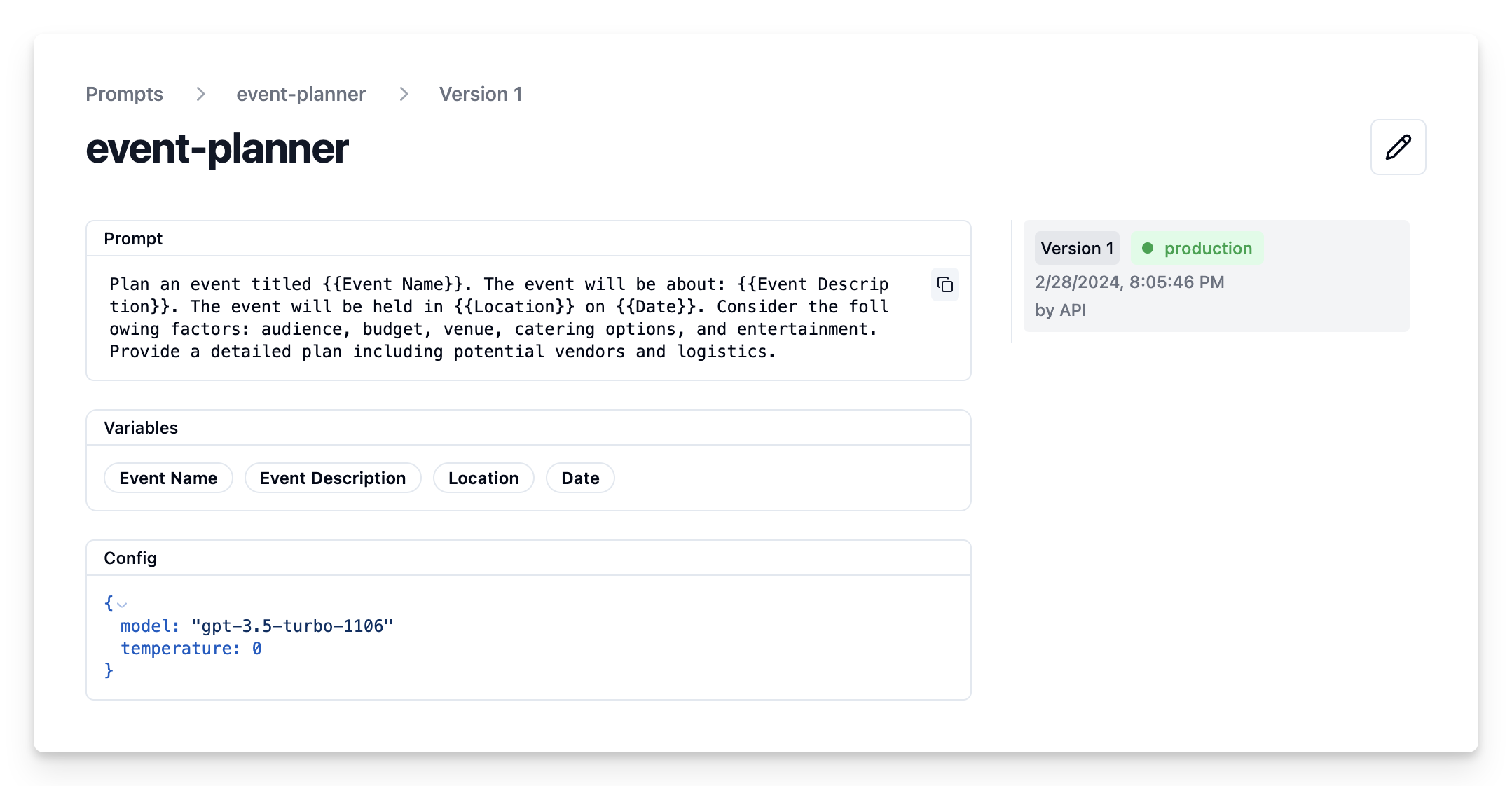
Example application
Get current prompt version from Litefuse
# Get current production version of prompt
langfuse_prompt = langfuse.get_prompt("event-planner")print(langfuse_prompt.prompt)Plan an event titled {{Event Name}}. The event will be about: {{Event Description}}. The event will be held in {{Location}} on {{Date}}. Consider the following factors: audience, budget, venue, catering options, and entertainment. Provide a detailed plan including potential vendors and logistics.Transform into Langchain PromptTemplate
Use the utility method .get_langchain_prompt() to transform the Litefuse prompt into a string that can be used in Langchain.
Context: Litefuse declares input variables in prompt templates using double brackets ({{input variable}}). Langchain uses single brackets for declaring input variables in PromptTemplates ({input variable}). The utility method .get_langchain_prompt() replaces the double brackets with single brackets.
Also, pass the Litefuse prompt as metadata to the PromptTemplate to automatically link generations that use the prompt.
from langchain_core.prompts import ChatPromptTemplate

langchain_prompt = ChatPromptTemplate.from_template(
        langfuse_prompt.get_langchain_prompt(),
        metadata={"langfuse_prompt": langfuse_prompt},
    )
Extract the configuration options from prompt.config
model = langfuse_prompt.config["model"]
temperature = str(langfuse_prompt.config["temperature"])
print(f"Prompt model configurations\nModel: {model}\nTemperature: {temperature}")
Prompt model configurations Model: gpt-4o Temperature: 0
Create Langchain chain based on prompt
from langchain_openai import ChatOpenAI

model = ChatOpenAI(model=model, temperature=temperature)

chain = langchain_prompt | model
Invoke chain
example_input = {
    "Event Name": "Wedding",
    "Event Description": "The wedding of Julia and Alex, a charming couple who share a love for art and nature. This special day will celebrate their journey together with a blend of traditional and contemporary elements, reflecting their unique personalities.",
    "Location": "Central Park, New York City",
    "Date": "June 5, 2024"
}
# we pass the callback handler to the chain to trace the run in Langfuse
response = chain.invoke(input=example_input,config={"callbacks":[langfuse_callback_handler]})
print(response.content)View Trace in Litefuse
Now we can see that the trace incl. the prompt template have been logged to Litefuse
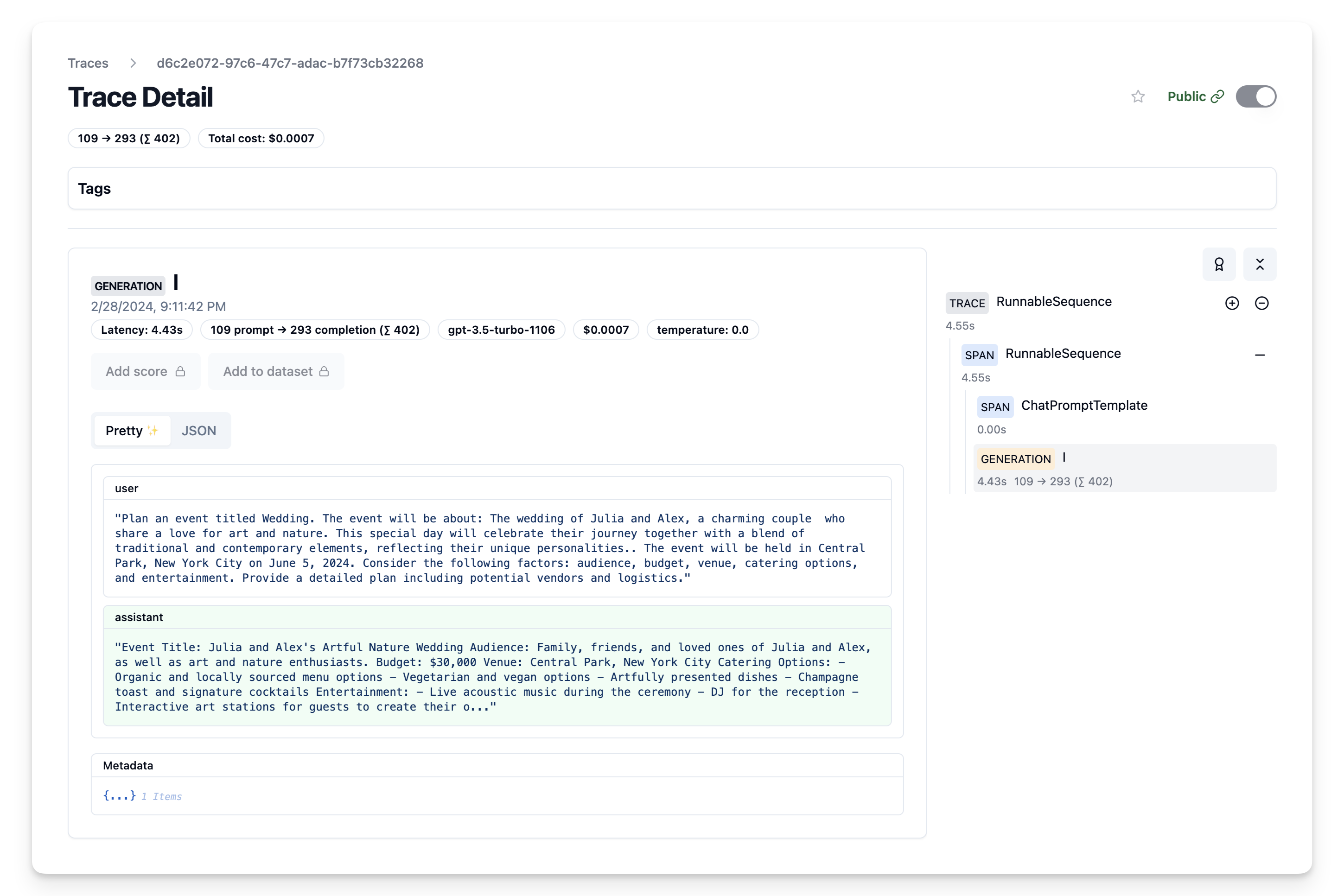
Iterate on prompt in Litefuse
We can now continue adapting our prompt template in the Litefuse UI and continuously update the prompt template in our Langchain application via the script above.