Integrating Goose with Litefuse
Goose is an open-source, on-machine AI agent that automates engineering tasks seamlessly. By integrating Goose with Litefuse, you can monitor your Goose requests and understand how the agent is performing.
About Goose
Goose is a powerful, open-source AI agent that runs locally on your machine to automate common engineering workflows. It’s designed to help developers spend more time building and less time on repetitive tasks.
Core capabilities:
- Fully open source and extensible, enabling you to customize Goose for your specific needs
- Local-first architecture that keeps you in control of execution and data
- Flexible integration options with your preferred LLM providers and Model Context Protocol (MCP) servers
- Built-in intelligence to handle complex engineering tasks with minimal supervision
Here are some real-world examples of how developers use Goose:
- Generate comprehensive test data that accurately reflects complex API business logic
- Build automation scripts for Google Workspace to streamline team coordination
- Execute large-scale codebase migrations, such as React component updates
- Create and manage custom CLI tools to optimize development workflows
GitHub: https://github.com/block/goose
Get Started
This guide will walk you through the steps to integrate Goose with Litefuse.
Set up Litefuse
Sign up for Litefuse Cloud here or self-host Litefuse Docker Compose to get your Langfuse API keys.
Configure Goose to Connect to Litefuse
Set the environment variables so that Goose (written in Rust) can connect to the Litefuse server.
export LANGFUSE_INIT_PROJECT_PUBLIC_KEY=pk-lf-...
export LANGFUSE_INIT_PROJECT_SECRET_KEY=sk-lf-...
export LANGFUSE_HOST=https://litefuse.cloud # EU data region 🇪🇺

# https://litefuse.cloud if you're using the US region 🇺🇸
# https://localhost:3000 if you're self-hosting
Run Goose with Litefuse Integration
Now, you can run Goose and monitor your AI requests and actions through Litefuse.
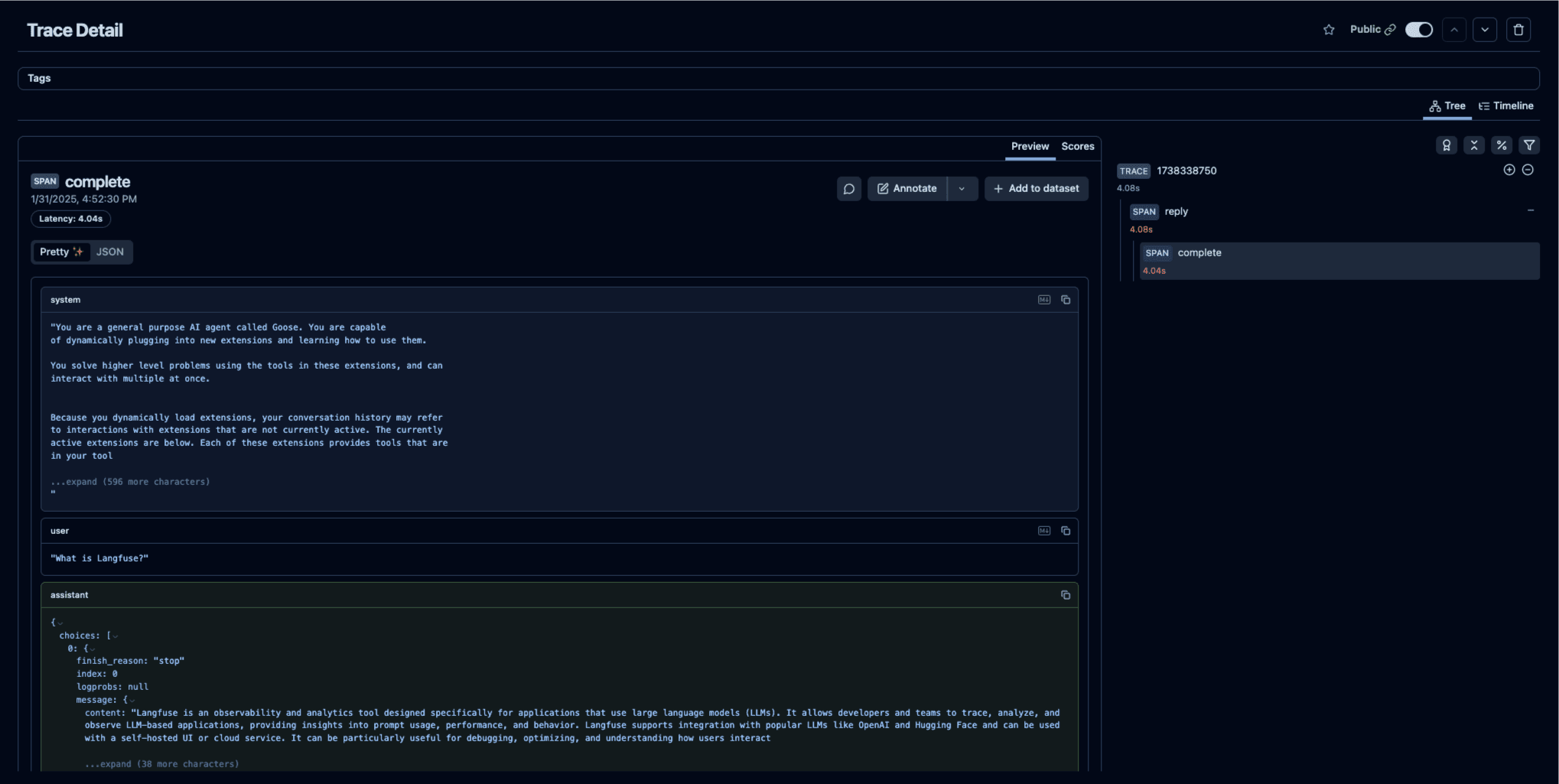
With Goose running and the environment variables set, Litefuse will start capturing traces of your Goose activities.
Example trace (public) in Litefuse
Demo
Alice (Goose) and Marc (Litefuse) demo how Litefuse enables observability into Goose’s actions—letting you trace LLM behavior and catch errors on the Goose YouTube channel:
References
- Goose Docs: https://block.github.io/goose/docs/category/getting-started
- Litefuse Docs: https://litefuse.ai/docs