Langdock Integration
Langdock is an enterprise-ready AI platform for creating private assistants in minutes—no code required. Deploy via secure chat, Slack, or API.
When connected to Litefuse, every Langdock assistant execution is automatically traced and visualized.
Setup
Get Langfuse API keys
- Sign up at cloud.litefuse.ai or self-host your own instance
- Go to Project → Settings → API Keys and copy your keys
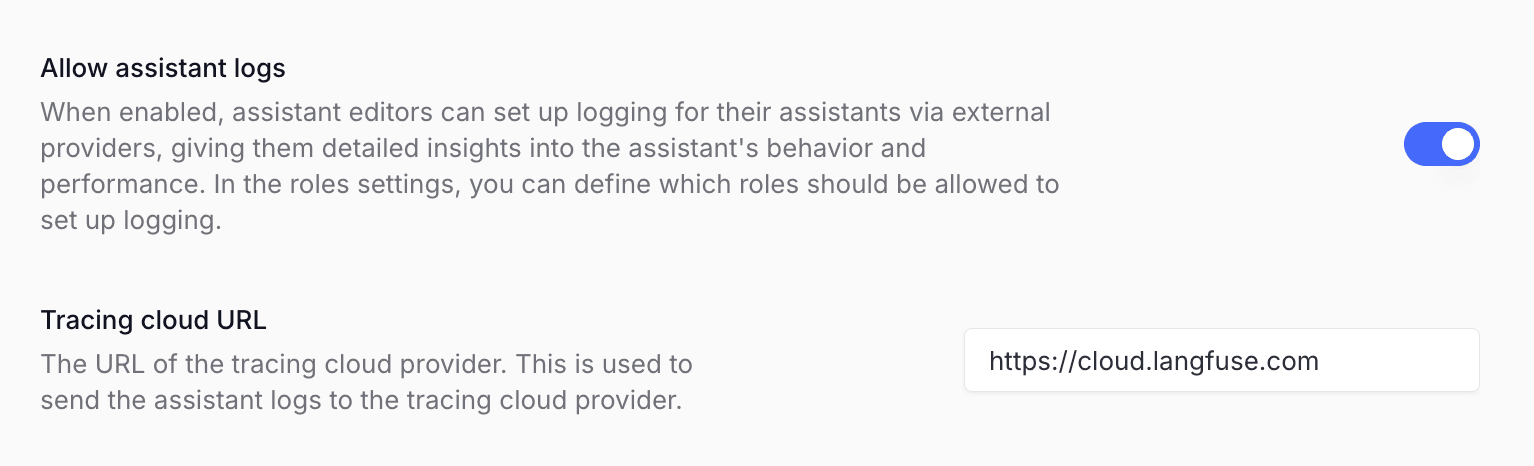
Add Litefuse as logging provider in Langdock Assistant Settings
- Open the Langdock
Workspace Settings - Navigate to
Assistantssettings - Enable
Allow assistant logs - Add your Litefuse host as
Tracing cloud URL, e.g.https://litefuse.cloudorhttps://litefuse.cloud
Enable tracing when creating an assistant
- Open Assistants → New assistant in Langdock
- Configure your assistant
Enable Langfuse tracingand add your Litefuse keys- Click
Save
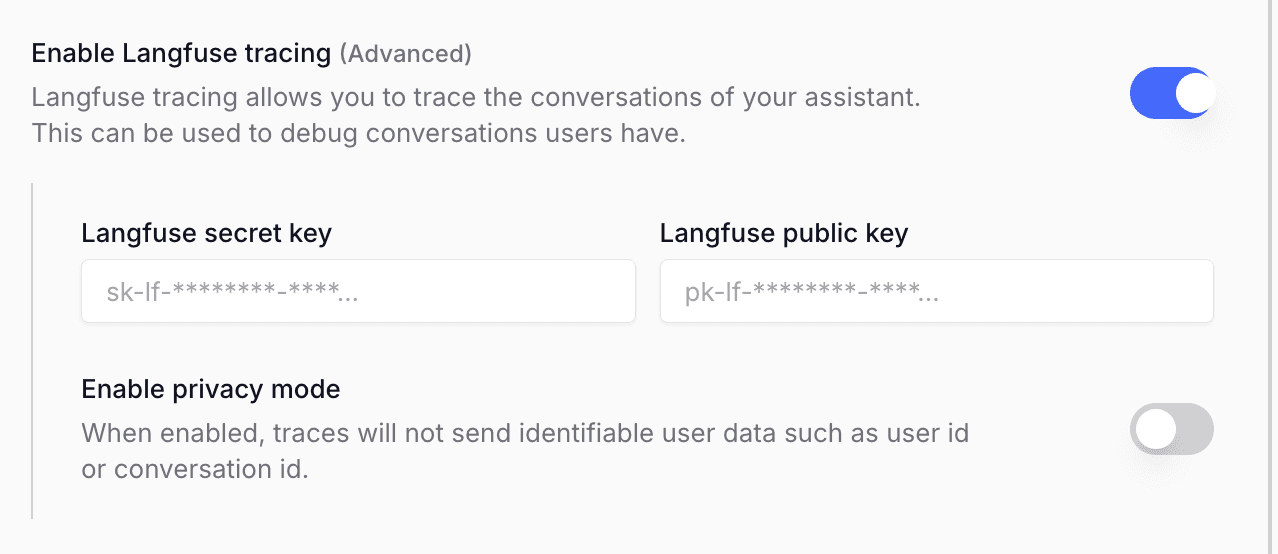
Your assistant conversations will now stream traces to Litefuse automatically.
Resources
Was this page helpful?