Litefuse Integration for Inferable
Inferable (GitHub) is an open-source platform that helps you build reliable agentic automations at scale.
With the native integration, you can use Inferable to quickly create distributed agentic automations and then use Litefuse to monitor and improve them. No code changes required.
Get Started
Get Langfuse API keys
- Create account and project on cloud.litefuse.ai
- Copy API keys for your project
Configure Inferable with Litefuse
- Navigate to the Integrations tab of your preferred cluster in Inferable
- Add your Litefuse credentials:
- Secret API Key: Your Litefuse Secret API Key
- Public API Key: Your Litefuse Public API Key
- Base URL: Your Litefuse Base URL (e.g.
https://litefuse.cloud) - Send Message Payloads: Whether to send inputs and outputs of LLM calls and function calls to Litefuse
Features
Tracing
Once you have enabled the Litefuse integration, you will start to see traces in the Litefuse dashboard. Every Run in Inferable will be mapped to its own trace in Litefuse.
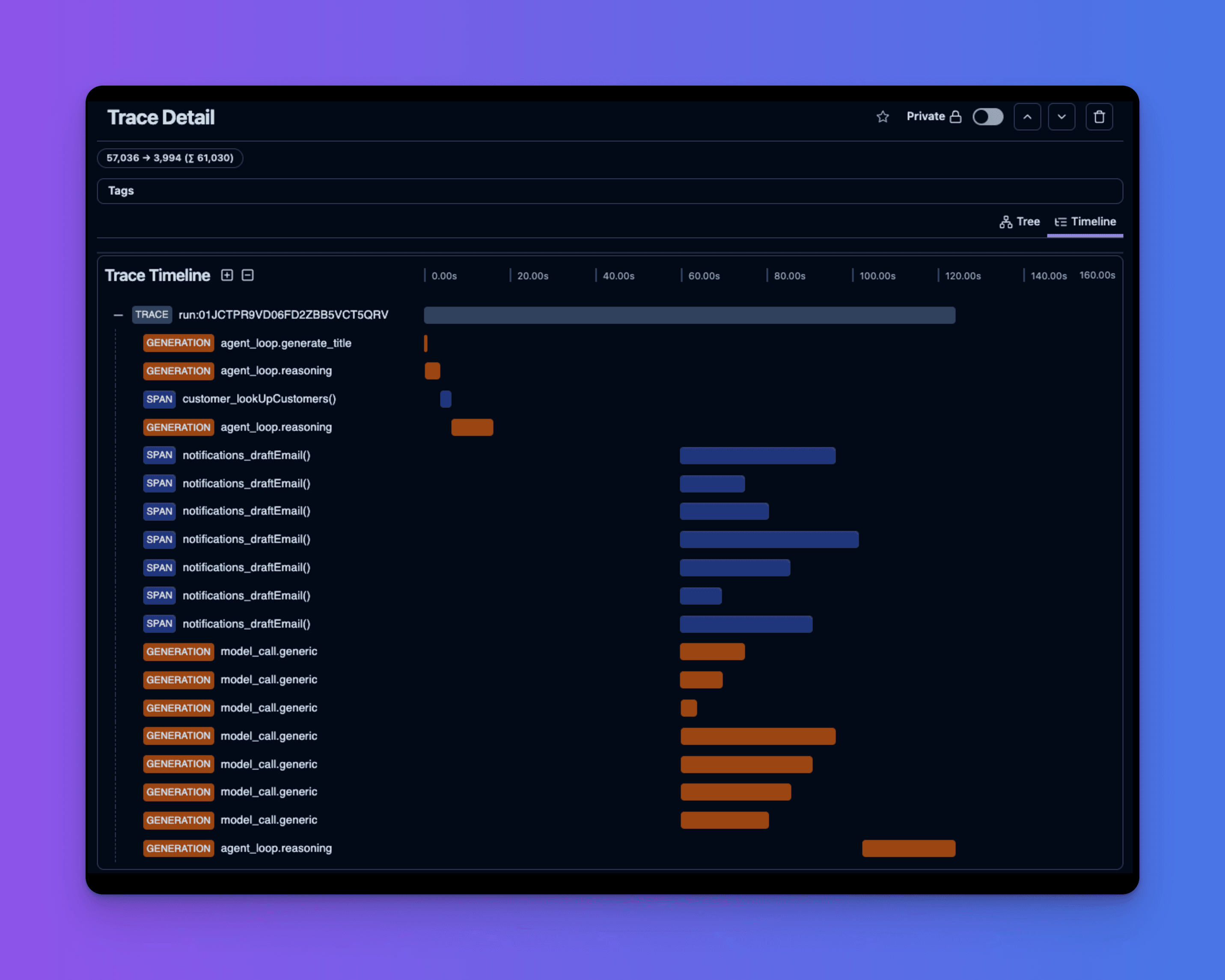
You will find two types of spans in the trace:
- Tool Calls: Denoted by function name. These are spans created for each tool call made in the Run by the LLM.
- LLM Calls: Denoted by
GENERATION. This is the span created for the LLM call. Inferable will create a new span for each LLM call in the Run, including:- Agent loop reasoning
- Utility calls (e.g., Summarization, Title generation)
Learn more about the Litefuse Tracing data structure here.
Evaluations
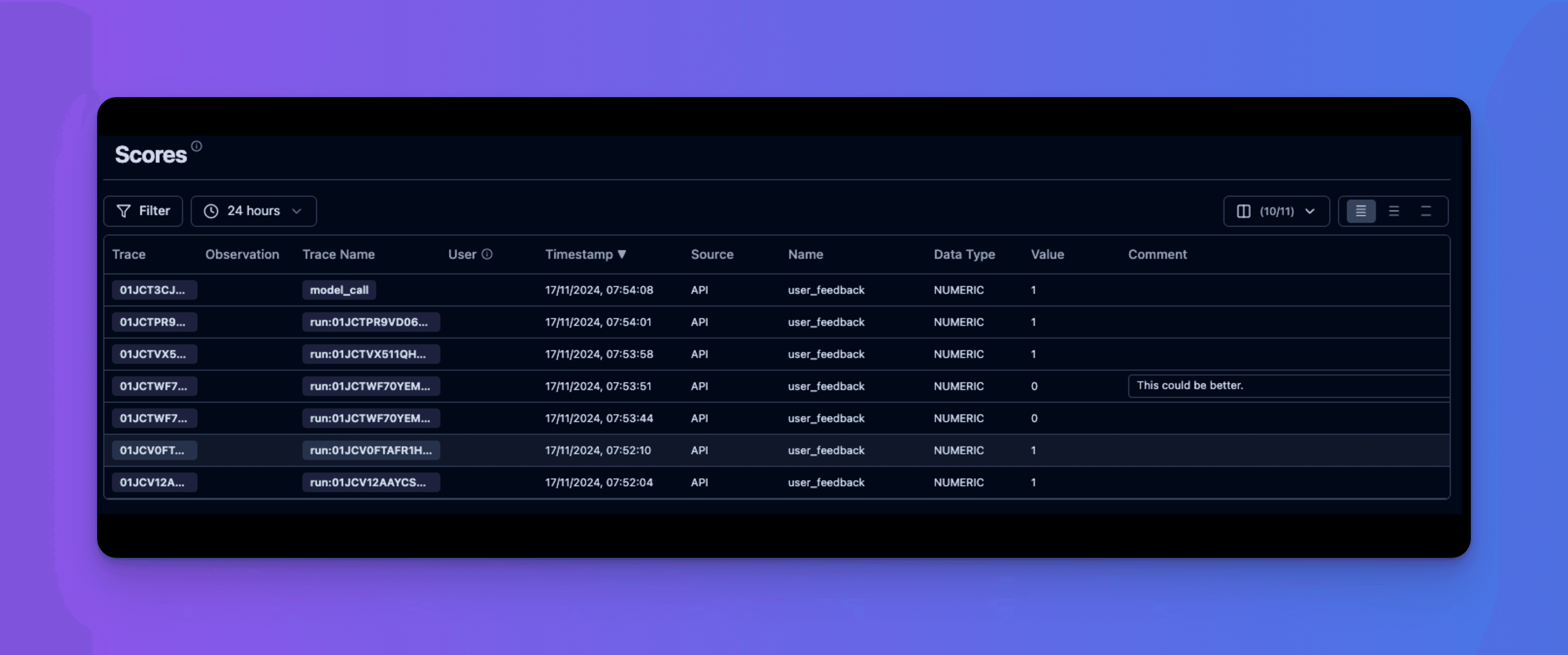
Whenever you submit an evaluation on a Run via the Playground or the API, Inferable will send a score to Litefuse on the trace for that Run.
If you’re using Litefuse for evaluation, this will help you correlate the evaluation back to the specific Trace in Litefuse.
Message Payload Security
By default, Inferable will only send metadata about LLM calls and function calls. This includes the model, Run ID, token usage, latency etc.
If you have Send Message Payloads enabled, Inferable will also send the inputs and outputs of the LLM calls and function calls. This includes:
- Prompts
- Responses
- Tool calls
- Tool call arguments
- Tool call results
Other notes
- The Litefuse traces may take up to 30 seconds to be sent to Litefuse. But usually appear in a few seconds.
- You can report an issue on Inferable GitHub if you’re having trouble with the integration.