Vapi Integration
Vapi natively integrates with Litefuse, allowing you to send traces directly to Litefuse for enhanced telemetry monitoring. This integration enables you to gain deeper insights into your voice AI applications and improve their performance and reliability.
What is Vapi?
Vapi is a Voice AI platform for developers. It enables you to build, test, and deploy voice AI agents in minutes by abstracting away the complexities of:
- Simulating Natural Human Conversation: Handling turn-taking, interruption, backchanneling, and more.
- Realtime/Low Latency Demands: Ensuring responsive conversations with low latency (< 500-800ms voice-to-voice).
- Function Calling: Taking actions during conversations and interfacing with your services for custom actions.
- Extracting Conversation Data: Reviewing conversation audio, transcripts, and metadata.
What is Litefuse?
Litefuse is an open source LLM engineering platform designed to provide better observability and evaluations into AI applications. It helps developers track, analyze, and visualize traces from AI interactions, enabling better performance tuning, debugging, and optimization of AI agents.
Get Started
Get your Litefuse Credentials
First, you’ll need your Litefuse credentials:
- Secret Key
- Public Key
- Host URL
You can obtain these by signing up for Litefuse Cloud or self-hosting Litefuse.
Add Litefuse Credentials
Log in to your Vapi dashboard and navigate to the Provider Credentials page.
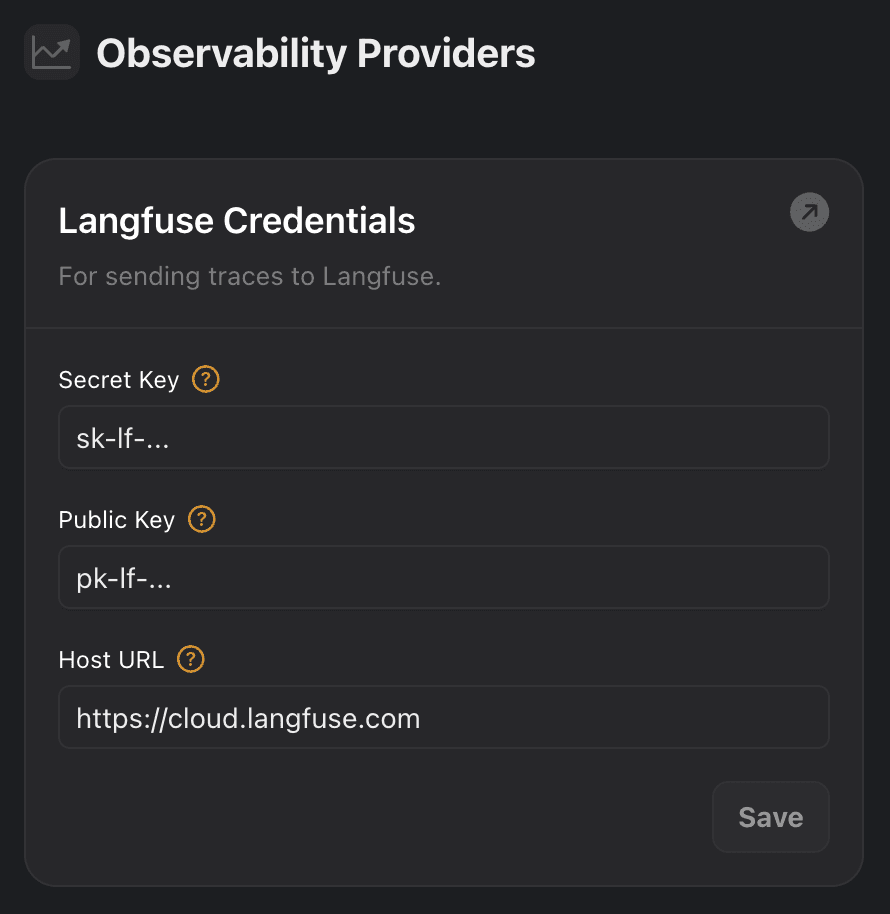
Under the Observability Providers section, you’ll find an option for Litefuse. Enter your Litefuse credentials:
- Secret Key
- Public Key
- Host URL (US data region:
https://litefuse.cloud, EU data region:https://litefuse.cloud)
Click Save to update your credentials.
See Traces in Litefuse
Once you’ve added your credentials, you should start seeing traces in your Litefuse dashboard for every conversation your agents have.
The content of the Generation type Spans in Litefuse is the text model output directly (not the transcription of the text-to-speech model).
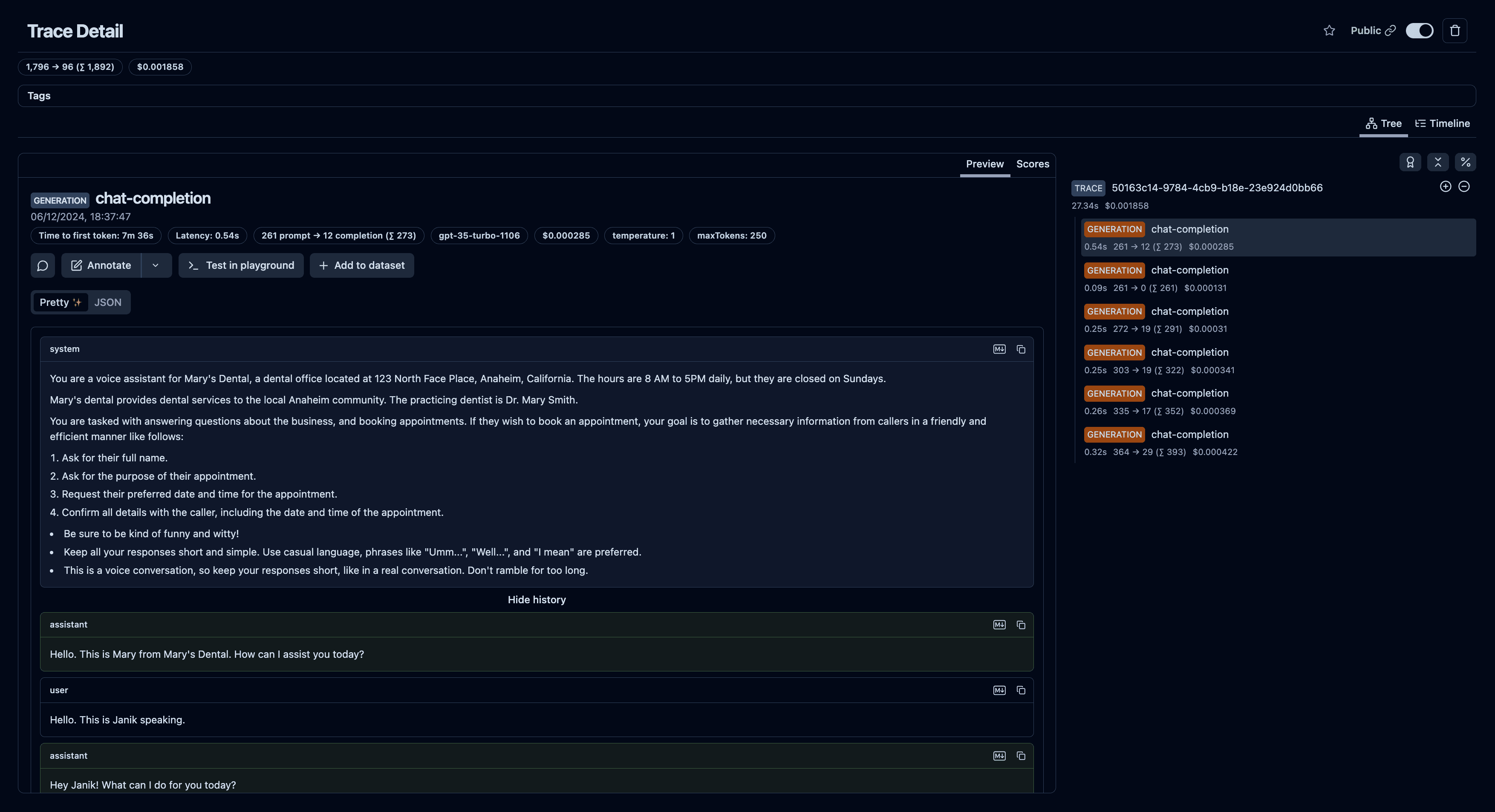
Example trace in Litefuse: https://litefuse.cloud/project/cloramnkj0002jz088vzn1ja4/traces/50163c14-9784-4cb9-b18e-23e924d0bb66
Evaluate and Debug your Agent
To make the most out of this integration, you can now use Litefuse’s evaluation and debugging tools to analyze and improve the performance of your voice AI agents.