用户追踪
Users 视图提供了所有用户的概览,也支持深入查看单个用户。把 Litefuse 中的数据映射到具体用户非常简单,只需将 userId 属性在 observation 之间传播即可。它可以是用户名、邮箱或任何其他唯一标识。userId 是可选的,但使用它能让你从 Litefuse 中获得更多价值,例如按 userId 聚合 LLM 用量与成本等指标。详情请参见集成文档。
使用 @observe() 装饰器时:
from langfuse import observe, propagate_attributes

@observe()
def process_user_request(user_query):
    # Propagate user_id to all child observations
    with propagate_attributes(user_id="user_12345"):
        # All nested observations automatically inherit user_id
        result = process_query(user_query)
        return result
直接创建 observation 时:
from langfuse import get_client, propagate_attributes

langfuse = get_client()

with langfuse.start_as_current_observation(
    as_type="span",
    name="process-user-request"
) as root_span:
    # Propagate user_id to all child observations
    with propagate_attributes(user_id="user_12345"):
        # All observations created here automatically have user_id
        with root_span.start_as_current_observation(
            as_type="generation",
            name="generate-response",
            model="gpt-4o"
        ) as gen:
            # This observation automatically has user_id
passNote on Attribute Propagation
We use Attribute Propagation to propagate `userId` across all observations of a trace. We will use all observations with `userId` to create `userId`-level metrics. Please consider the following when using Attribute Propagation:
- Values must be strings ≤200 characters
- Call early in your trace to ensure all observations are covered. This way you make sure that all Metrics in Litefuse are accurate.
- Invalid values are dropped with a warning
Learn more: Python SDK | TypeScript SDK
查看所有用户
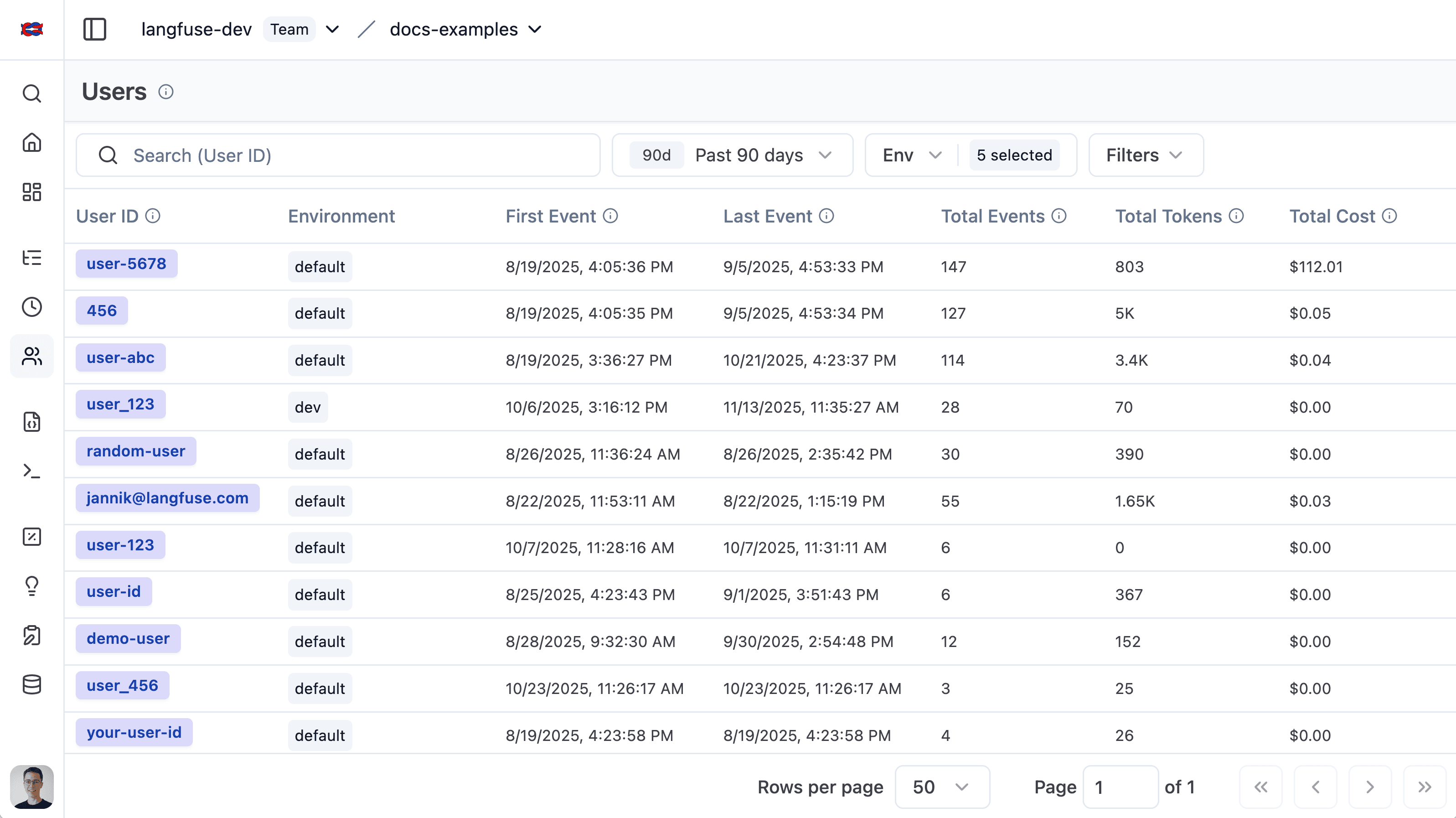
用户列表给出了 Litefuse 已追踪到的所有用户的概览。可以方便地按整体 token 用量、trace 数和用户反馈进行细分。
单个用户视图
单个用户视图提供了对单个用户的深入查看。你可以浏览聚合指标,或查看该用户的所有 trace 和反馈。
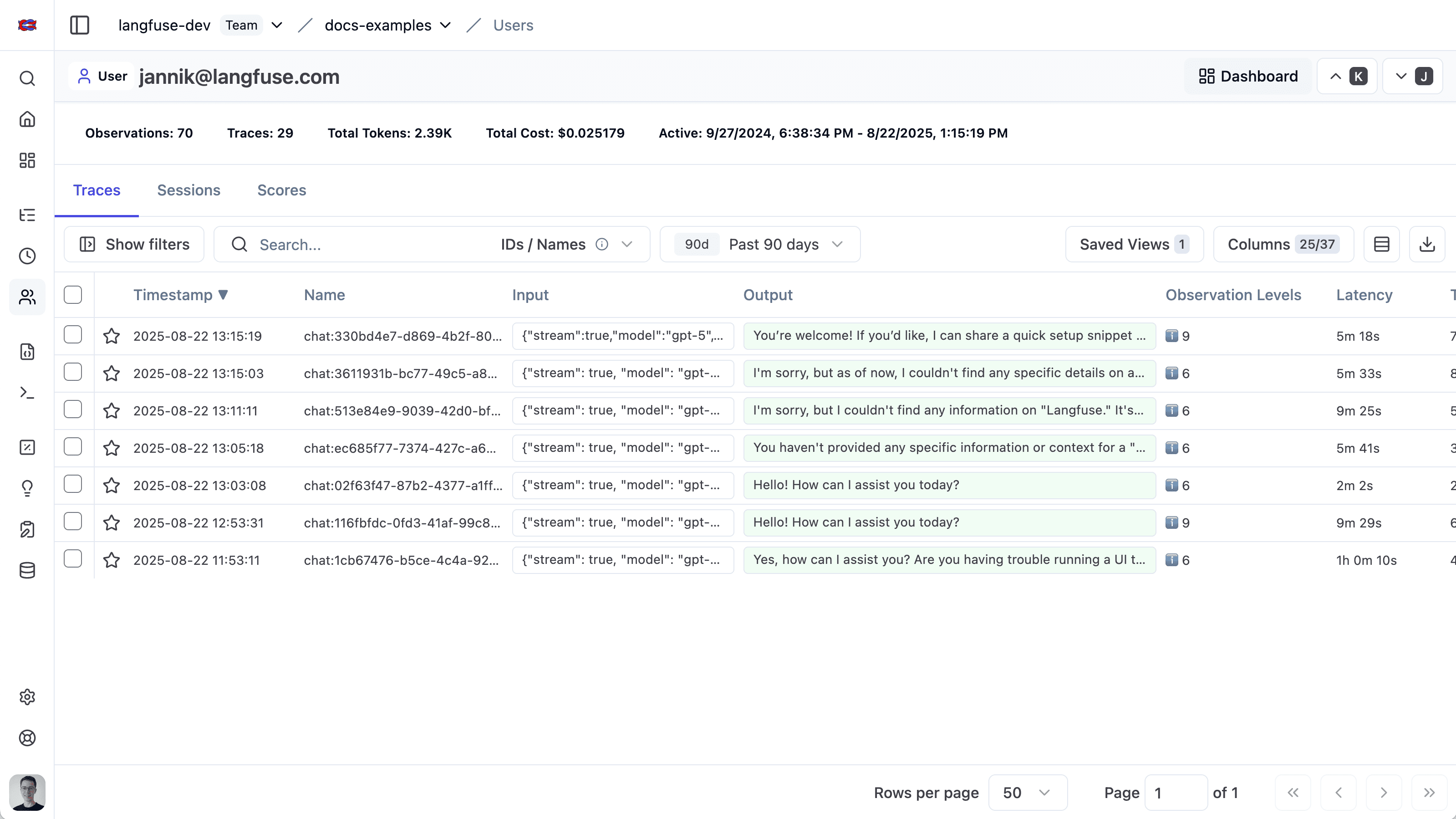
你可以通过以下 URL 格式深链接到该视图:https://<hostname>/project/{projectId}/users/{userId}
相关资源
- 构建自定义仪表盘以可视化用户级指标,例如成本、token 用量和 trace 数。
- 通过 Metrics API 程序化查询每个用户的聚合指标,例如成本、token 用量和 trace 数。
这个页面对你有帮助吗?