Litefuse Prompt 的 MCP Server
Litefuse Model Context Protocol(MCP)Server 让 AI 助手和 agent 可以与你的 Prompt 管理系统交互。该服务直接内建在 Litefuse 中,地址为 /api/public/mcp(streamableHttp),无需额外搭建或构建步骤。
可用工具
Litefuse MCP Server 在 Claude Code 等 MCP 客户端中提供五个工具,覆盖完整的 prompt 管理:
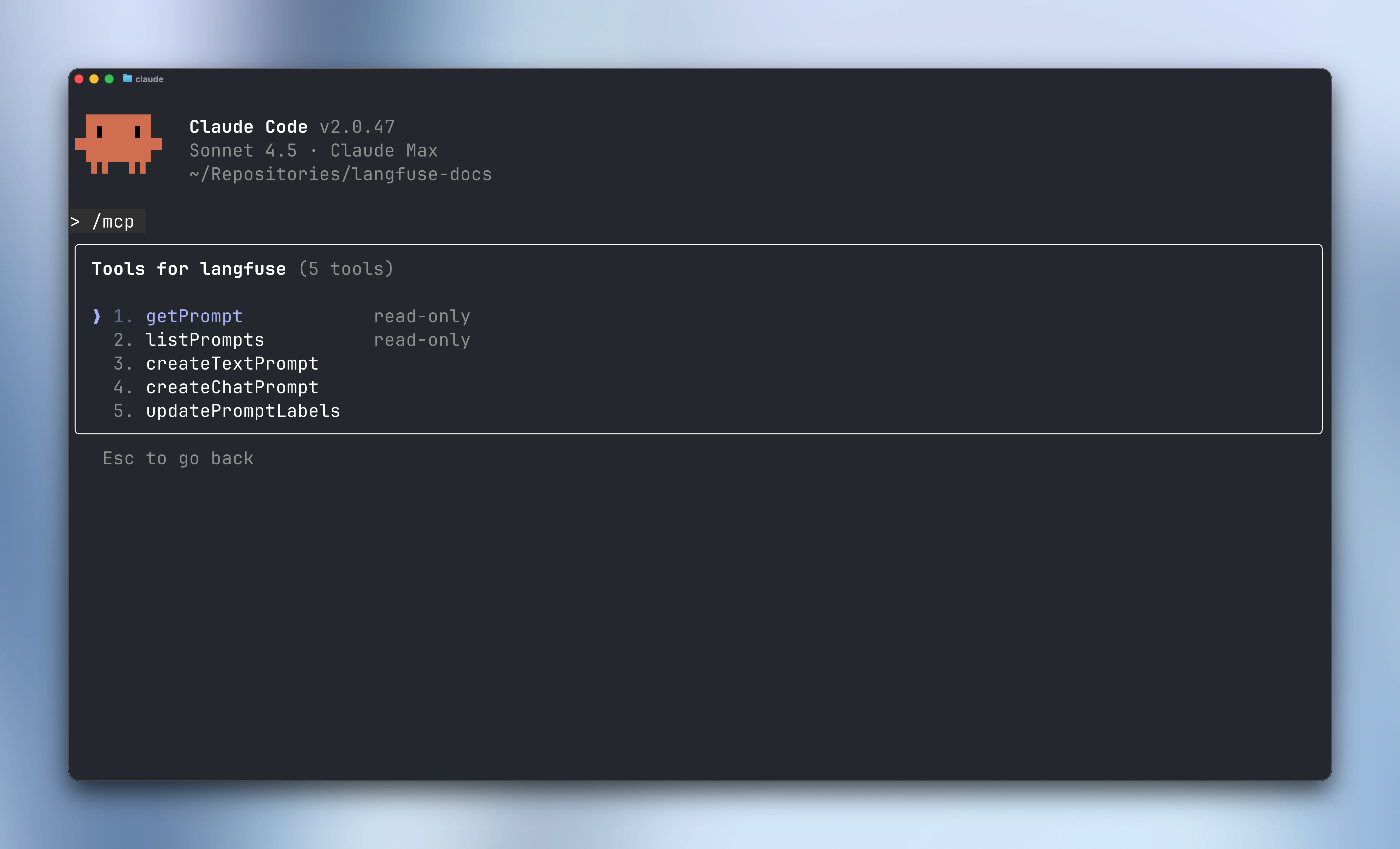
功能
读操作
-
getPrompt- 按名称获取一个具体的 prompt- 可选
label参数(例如 “production”、“staging”)—— 默认是 “production” - 可选
version参数获取指定版本号 - 返回编译后的 prompt,附带元数据和配置
- 可选
-
listPrompts- 浏览项目中的全部 prompt- 可按
name、tag或label过滤 - 基于 cursor 的分页,适合大规模 prompt 库
- 返回 prompt 元数据,包括可用版本和标签
- 可按
写操作
-
createTextPrompt- 创建一个新的 text 类型 prompt 版本- 简单字符串内容,使用
{{variable}}模板语法 - 可选标签(例如
["production", "staging"]) - 可选 config 对象用于模型设置
- 可选 tag 用于组织
- 可选 commit message 记录改动
- 自动递增版本号
- 简单字符串内容,使用
-
createChatPrompt- 创建一个新的 chat 类型 prompt 版本- 使用 OpenAI 风格的消息格式,包含 role 和 content
- 支持 system、user、assistant 三种消息角色
- 模板变量在消息内容中可用
- 与 text prompt 一样支持 label、config、tag 和 commit message
-
updatePromptLabels- 在 prompt 版本之间管理标签- 在版本之间移动标签(例如把 staging 提升到 production)
- 标签是唯一的 —— 给某个版本设置一个标签,会自动从其他版本上移除
- 不能修改自动管理的
latest标签 - 适合部署流程和版本管理
配置
完整的认证和客户端配置说明,参见 MCP Server 配置指南。
工作流示例
创建一个新的 prompt
让你的 AI agent:
“Create a new text prompt called ‘customer-email’ with a friendly greeting template that includes name and product variables. Tag it as ‘draft’ and add a production label.”
agent 会使用 createTextPrompt 来创建该 prompt 版本。
把 prompt 提升到生产环境
“Move the production label from version 2 to version 3 of the customer-email prompt”
agent 会使用 updatePromptLabels 来更新标签的指向。
迭代 chat prompt
“Create a new version of the code-review prompt with improved system instructions and add an example assistant message showing the review format”
agent 会先使用 getPrompt 拉取 prompt,然后用 createChatPrompt 创建一个内容增强的新版本。
反馈
通过提交 issue 来分享你使用 Litefuse MCP Server 的体验。我们非常欢迎你的反馈和使用案例。
进一步了解
- MCP Server 概览 - 完整的 MCP Server 文档
- Prompt 管理 - 了解 Litefuse 的 prompt 功能
- Model Context Protocol - 官方 MCP 文档