Chat Prompt 中的消息占位符
消息占位符允许你把一组聊天消息([{role: "...", content: "..."}])插入到 chat prompt 的指定位置。
你可以在一个 prompt 中定义多个占位符,并在运行时分别用不同的值进行解析。 消息占位符在 Playground 和 Prompt Experiments 中也都受支持。
在你的应用中使用占位符,至少需要 langfuse >= 3.1.0
(python) 或 langfuse >= 3.38.0 (js)。
创建带占位符的 prompt
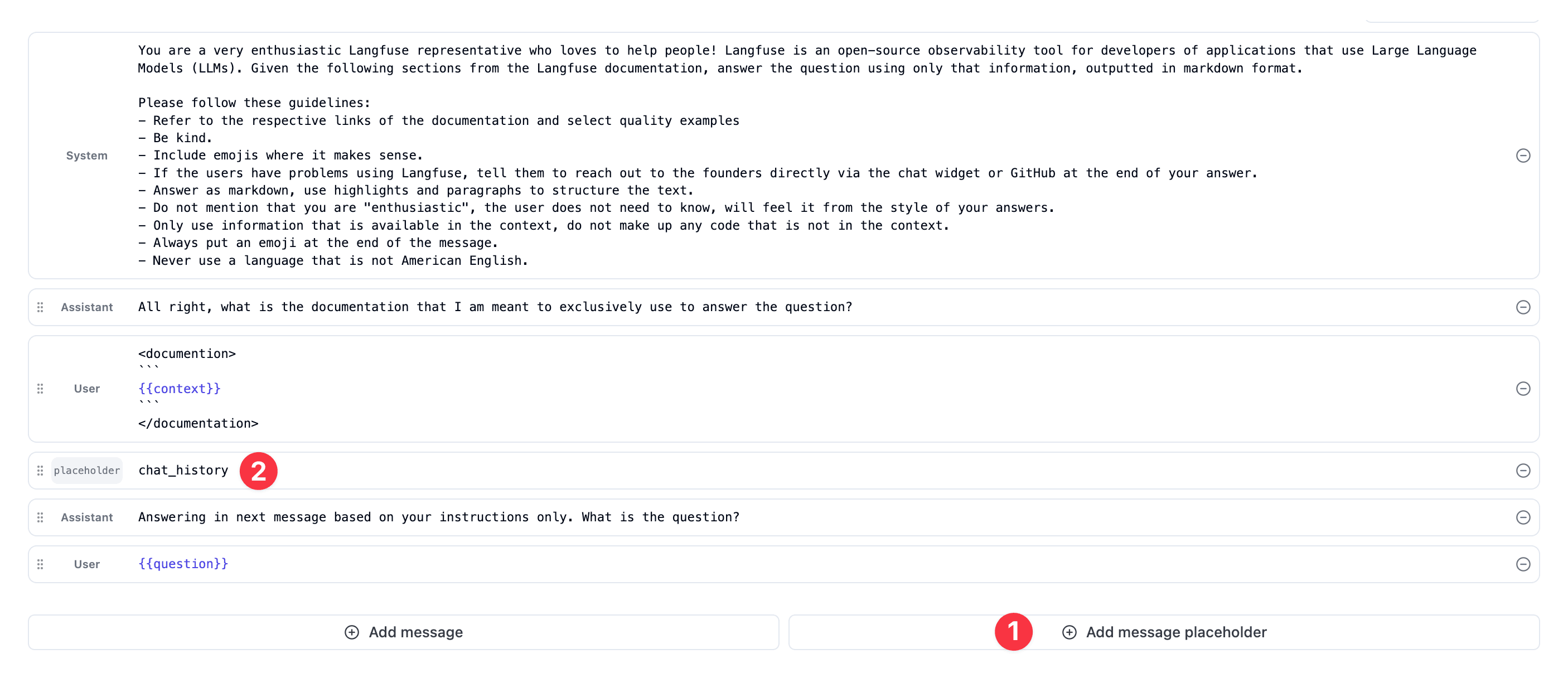
- 在任意 prompt 中点击
Add message placeholder按钮创建一个占位符。 - 给占位符选一个
name,用于在你的应用中引用它。
在运行时解析占位符
在 SDK 中,对 ChatPromptClient 使用 .compile(variables, placeholders) 方法来设置要填入占位符的值。
填入的消息推荐使用 ChatMessage 格式,包含 role 和 content 字段,但 compile 不会校验消息格式,因此自定义格式也是可以的。
from langfuse import get_client

langfuse = get_client()

# Use prompt with placeholders in your application
prompt = langfuse.get_prompt("movie-critic-chat")

# Compile the variable and resolve the placeholder with a list of messages.
compiled_prompt = prompt.compile(criticlevel="expert", chat_history=[
  {"role": "user", "content": "I love Ron Fricke movies like Baraka"},
  {"role": "user", "content": "Also, the Korean movie Memories of a Murderer"}
])

# -> compiled_prompt = [
#   { "role": "system", "content": "You are an expert movie critic" },
#   { "role": "user", "content": "I love Ron Fricke movies like Baraka" },
#   { "role": "user", "content": "Also, the Korean movie Memories of a Murderer" },
#   { "role": "user", "content": "What should I watch next?" },
# ]不太符合你的需求?看看这些类似的功能:
这个页面对你有帮助吗?