LiteLLM Proxy 集成
本指南介绍如何使用 LiteLLM Proxy 捕获 LLM 调用并把它们记录到 Litefuse。
什么是 LiteLLM? LiteLLM 是开源的代理与 SDK,提供统一的 API,让你通过 OpenAI 兼容端点调用和管理数百种 LLM provider 和模型。
什么是 Litefuse? Litefuse 是开源的 AI Agent 可观测性和评估平台,帮助你追踪、监控并调试 LLM 应用。
将 LiteLLM 与 Litefuse 集成有三种方式:
- 通过 LiteLLM Proxy 发送日志,捕获经过代理的所有 LLM 调用。
- 使用 LiteLLM SDK 直接捕获 LLM 调用。
- 使用任意兼容框架(例如 OpenAI 或 LangChain SDK)来捕获 LLM 调用。
本集成针对 LiteLLM Proxy。如果你想要 LiteLLM SDK 的集成,请见 LiteLLM SDK 集成 页。
LiteLLM Proxy
把集成加入到你的代理配置中:
1. 把凭据加入环境变量
export LANGFUSE_PUBLIC_KEY="pk-lf-..."
export LANGFUSE_SECRET_KEY="sk-lf-..."
export LANGFUSE_OTEL_HOST="https://litefuse.cloud"
# export LANGFUSE_OTEL_HOST="https://otel.my-litefuse.aipany.com"  # custom OTEL endpoint
2. 配置 litellm_config.yaml
model_list:
  - model_name: gpt-5.1
    litellm_params:
      model: gpt-5.1
litellm_settings:
  callbacks: ["langfuse_otel"]
3. 启动代理
litellm --config /path/to/litellm_config.yaml4. 通过代理把 trace 写入 Litefuse
curl -X POST "http://0.0.0.0:4000/v1/chat/completions" \
  -H "Content-Type: application/json" \
  -H "Authorization: Bearer sk-xxxx" \
  -d '{
    "model": "gpt-3.5-turbo",
    "messages": [
      {"role": "system", "content": "You are a very accurate calculator. You output only the result of the calculation."},
      {"role": "user", "content": "1 + 1 = "}
    ]
  }'
5. 在 Litefuse 中查看 LiteLLM 的 generation
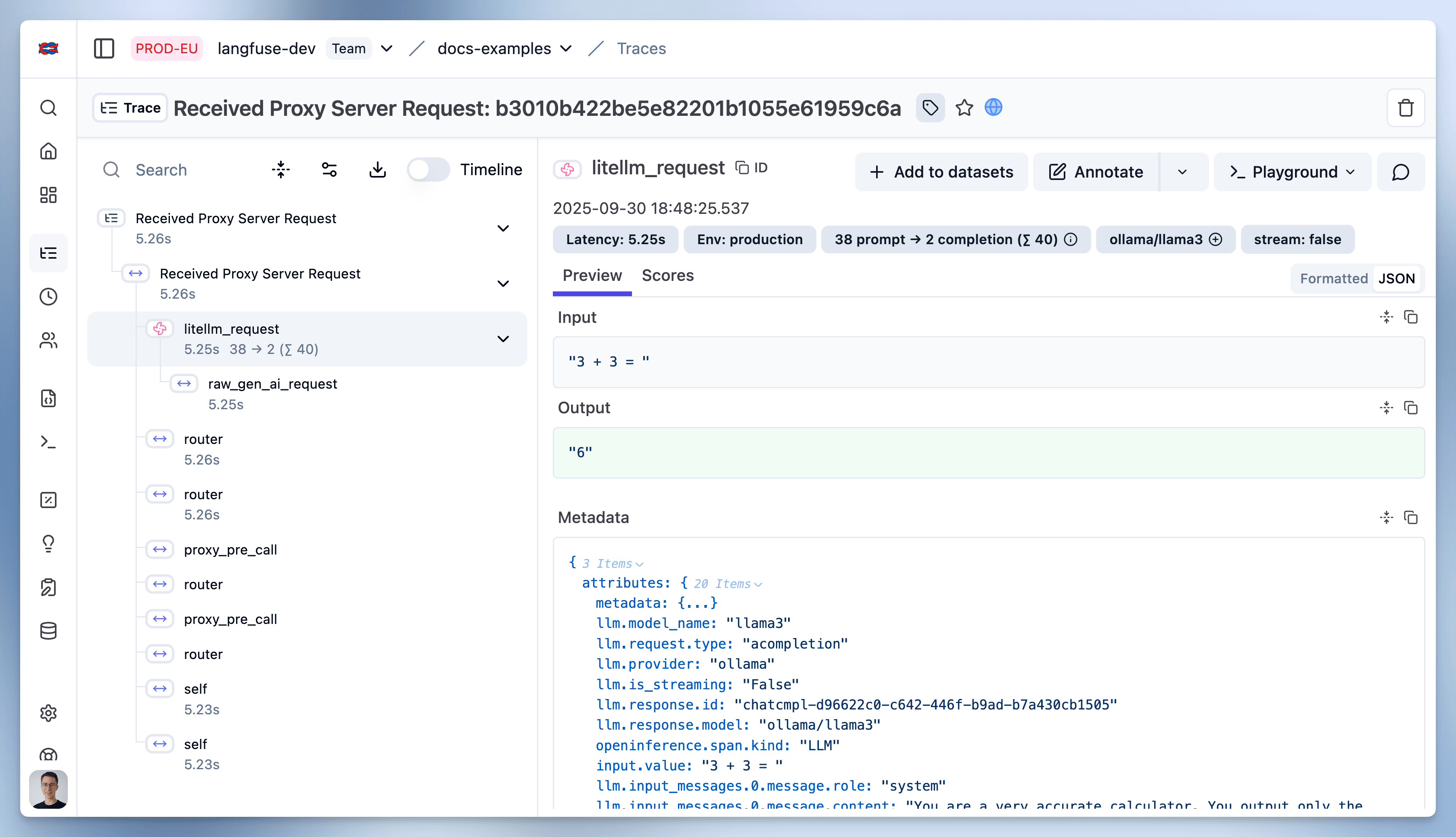
如何使用 LiteLLM Proxy 的详细信息见 LiteLLM 文档。
Learn more about LiteLLM
What is LiteLLM?
LiteLLM is an open source proxy server to manage auth, loadbalancing, and spend tracking across more than 100 LLMs. LiteLLM has grown to be a popular utility for developers working with LLMs and is universally thought to be a useful abstraction.
Is LiteLLM an Open Source project?
Yes, LiteLLM is open source. The majority of its code is permissively MIT-licensed. You can find the open source LiteLLM repository on GitHub.
Can I use LiteLLM with Ollama and local models?
Yes, you can use LiteLLM with Ollama and other local models. LiteLLM supports all models from Ollama, and it provides a Docker image for an OpenAI API-compatible server for local LLMs like llama2, mistral, and codellama.
How does LiteLLM simplify API calls across multiple LLM providers?
LiteLLM provides a unified interface for calling models such as OpenAI, Anthropic, Cohere, Ollama and others. This means you can call any supported model using a consistent method, such as completion(model, messages), and expect a uniform response format. The library does away with the need for if/else statements or provider-specific code, making it easier to manage and debug LLM interactions in your application.