使用 Litefuse 追踪你的本地 Ollama 模型
在本指南中,我们将介绍如何使用 Ollama 和 Litefuse 追踪本地语言模型。
注意:本示例使用 Litefuse 的 OpenAI SDK 集成(Python)。同样的方式适用于 JS/TS,也可以通过 Litefuse 与 LangChain 和 LlamaIndex 的集成。
什么是 Ollama?
Ollama(GitHub)是一个开源平台,让你能够在本地机器上运行大语言模型(LLM),支持包括 Llama 3.1 和 Mistral 7B 在内的多种模型。它通过将模型权重、配置和数据打包到由 Modelfile 定义的单个包中,简化了安装与配置。
什么是 Litefuse?
Litefuse(GitHub)是一个开源的 AI Agent 可观测性与评估平台,通过追踪、prompt 管理和评估,帮助团队协作地调试、分析和迭代 LLM 应用。
本地部署 Litefuse
当然,你也可以本地部署 Litefuse,让模型运行和 LLM 输出追踪都只在你自己的设备上完成。这里 提供了使用 Docker Compose 在本地机器上运行 Litefuse 的指南。这种方式非常适合测试 Litefuse 和排查集成问题。
本示例中我们将使用 Litefuse 的云端版本。
示例 1:Llama 3.1 模型
在本示例中,我们将使用 Llama 3.1 模型,借助 OpenAI Python SDK 和 Litefuse 追踪创建一个简单的 chat completion 应用。
第一步:安装 Ollama
首先下载 Ollama 并拉取 Llama 3.1 模型。更多信息见 Ollama 文档。
ollama pull llama3.1要调用 Ollama 兼容 OpenAI 的 API 端点,使用相同的 OpenAI 格式,并将主机名改为 http://localhost:11434:
curl http://localhost:11434/v1/chat/completions \
    -H "Content-Type: application/json" \
    -d '{
        "model": "llama3.1",
        "messages": [
            {
                "role": "system",
                "content": "You are a helpful assistant."
            },
            {
                "role": "user",
                "content": "Hello!"
            }
        ]
    }'
第二步:配置 Litefuse
使用 Litefuse UI 中项目设置里的 API Key 初始化 Langfuse 客户端,并将其加入环境变量。
import os

# Get keys for your project from the project settings page
# https://litefuse.cloud
os.environ["LANGFUSE_PUBLIC_KEY"] = ""
os.environ["LANGFUSE_SECRET_KEY"] = ""
os.environ["LANGFUSE_BASE_URL"] = "https://litefuse.cloud"%pip install langfuse openai --upgrade第三步:使用 OpenAI Python SDK 调用 Llama3.1 模型
由于 Ollama 提供了相同的 API(见上文),我们使用 OpenAI Python SDK 来调用 Ollama 模型。要在 Litefuse 中追踪你的 LLM 调用,可以通过替换方案(文档,同样适用于 JS/TS 以及 LangChain、LlamaIndex),仅需修改 import 即可获得完整日志。
- import openai
+ from langfuse.openai import openai

Alternative imports:
+ from langfuse.openai import OpenAI, AsyncOpenAI, AzureOpenAI, AsyncAzureOpenAI
# Drop-in replacement to get full logging by changing only the import
from langfuse.openai import OpenAI
# Configure the OpenAI client to use http://localhost:11434/v1 as base url
client = OpenAI(
base_url = 'http://localhost:11434/v1',
api_key='ollama', # required, but unused
)
response = client.chat.completions.create(
model="llama3.1",
messages=[
{"role": "system", "content": "You are a helpful assistant."},
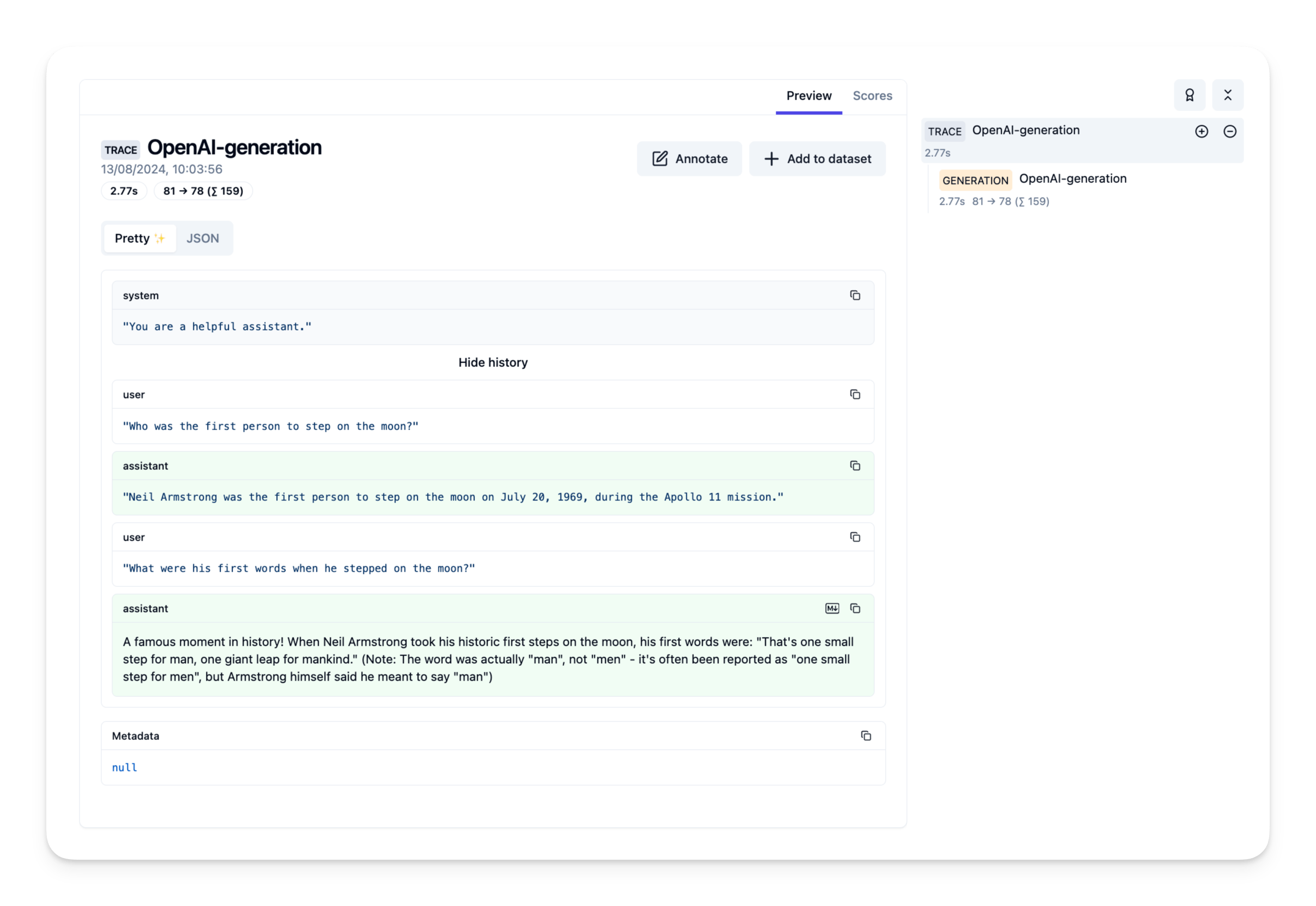
{"role": "user", "content": "Who was the first person to step on the moon?"},
{"role": "assistant", "content": "Neil Armstrong was the first person to step on the moon on July 20, 1969, during the Apollo 11 mission."},
{"role": "user", "content": "What were his first words when he stepped on the moon?"}
]
)
print(response.choices[0].message.content)A famous moment in history! When Neil Armstrong took his historic first steps on the moon, his first words were: "That's one small step for man, one giant leap for mankind." (Note: The word was actually "man", not "men" - it's often been reported as "one small step for men", but Armstrong himself said he meant to say "man")第四步: 在 Litefuse 中查看 trace
示例 2:Mistral 7B 模型
在本示例中,我们将使用 Mistral 7B 模型,借助 OpenAI Python SDK 和 Litefuse 追踪创建一个简单的 chat completion 应用。
第一步:安装 Ollama
首先下载 Ollama 并拉取 Mistral 7B 模型:
ollama pull mistral
要调用 Ollama 兼容 OpenAI 的 API 端点,使用相同的 OpenAI 格式,并将主机名改为 http://localhost:11434:
curl http://localhost:11434/v1/chat/completions \
    -H "Content-Type: application/json" \
    -d '{
        "model": "mistral",
        "messages": [
            {
                "role": "system",
                "content": "You are a helpful assistant."
            },
            {
                "role": "user",
                "content": "Hello!"
            }
        ]
    }'
第二步:配置 Litefuse
使用 Litefuse UI 中项目设置里的 API Key 初始化 Langfuse 客户端,并将其加入环境变量。
import os

# Get keys for your project from the project settings page
# https://litefuse.cloud
os.environ["LANGFUSE_PUBLIC_KEY"] = ""
os.environ["LANGFUSE_SECRET_KEY"] = ""
os.environ["LANGFUSE_BASE_URL"] = "https://litefuse.cloud"

# Your openai key
os.environ["OPENAI_API_KEY"] = ""
第三步:使用 OpenAI Python SDK 调用 Mistral 模型
# Drop-in replacement to get full logging by changing only the import
from langfuse.openai import OpenAI

# Configure the OpenAI client to use http://localhost:11434/v1 as base url
client = OpenAI(
    base_url = 'http://localhost:11434/v1',
    api_key='ollama', # required, but unused
)

response = client.chat.completions.create(
  model="mistral",
  messages=[
    {"role": "system", "content": "You are a helpful assistant."},
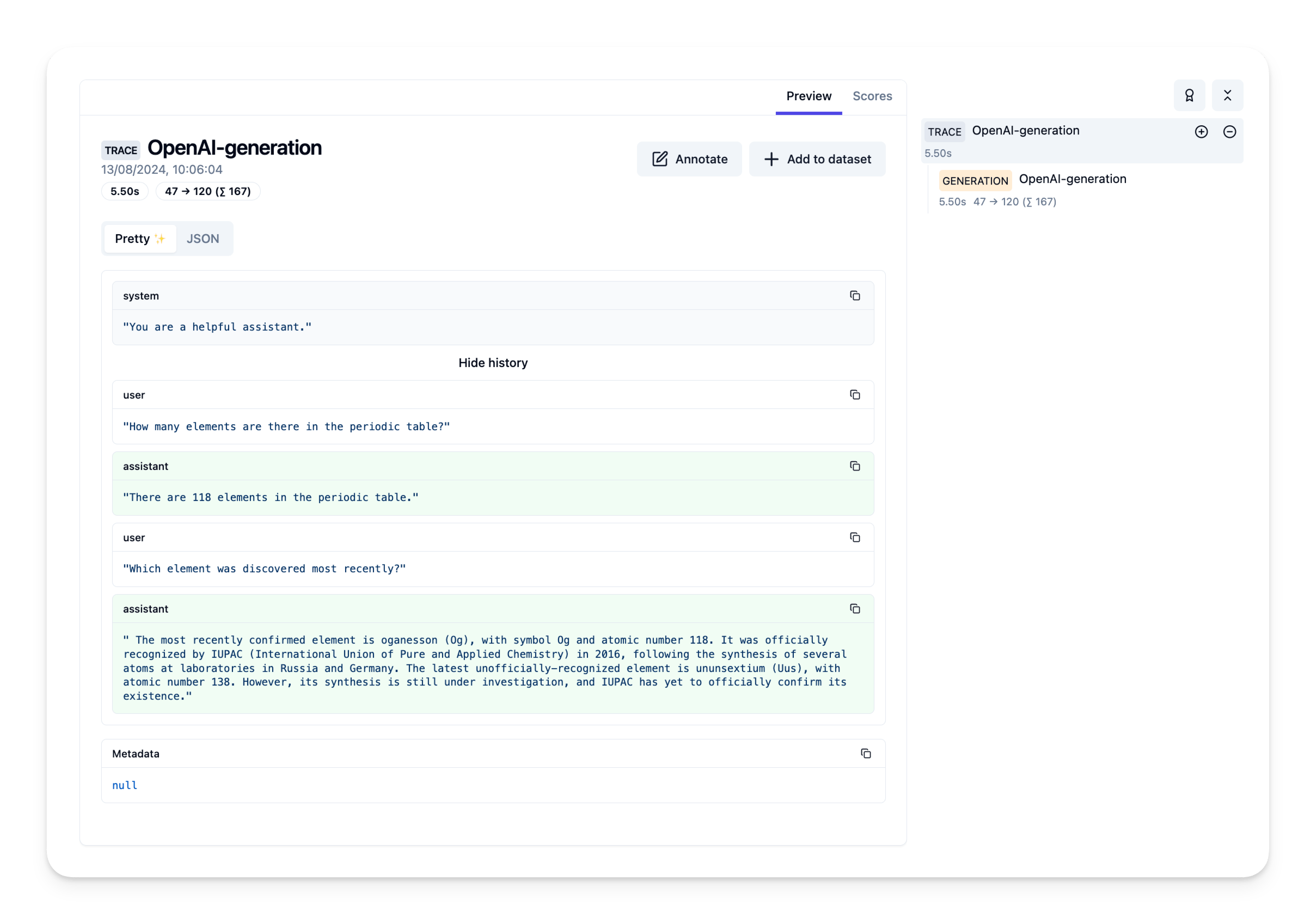
    {"role": "user", "content": "How many elements are there in the periodic table?"},
    {"role": "assistant", "content": "There are 118 elements in the periodic table."},
    {"role": "user", "content": "Which element was discovered most recently?"}
  ]
)
print(response.choices[0].message.content)
The most recently confirmed element is oganesson (Og), with symbol Og and atomic number 118. It was officially recognized by IUPAC (International Union of Pure and Applied Chemistry) in 2016, following the synthesis of several atoms at laboratories in Russia and Germany. The latest unofficially-recognized element is ununsextium (Uus), with atomic number 138. However, its synthesis is still under investigation, and IUPAC has yet to officially confirm its existence.第四步:在 Litefuse 中查看 trace
反馈
如果你有任何反馈或需求,请提交 GitHub Issue,或在 Discord 与社区分享你的想法。