指南:使用 Litefuse 实现 OpenAI Assistants API 的可观测性
本指南演示了如何使用 Litefuse 的 observe 装饰器 追踪对 OpenAI Assistants API 的调用。内容涵盖创建 assistant、在 thread 上运行它,以及通过 Litefuse 追踪 观测整个执行过程。
注意:原生的 OpenAI SDK 包装器 不支持追踪 OpenAI assistants API,你需要按本 notebook 所示通过装饰器进行插桩。
什么是 Assistants API?
OpenAI 的 Assistants API 让开发者能够构建可以并行使用多种工具和数据源的 AI 助手,例如代码解释器、文件搜索以及通过函数调用创建的自定义工具。这些 assistant 可以使用特定 prompt 访问 OpenAI 的 GPT-4 等语言模型,维持持久化的对话历史,并处理文本、图像、电子表格等多种文件格式。开发者可以基于自己的数据微调语言模型,并控制输出随机性等方面。该 API 提供了一个将语言理解与外部工具及数据相结合,构建 AI 应用的框架。
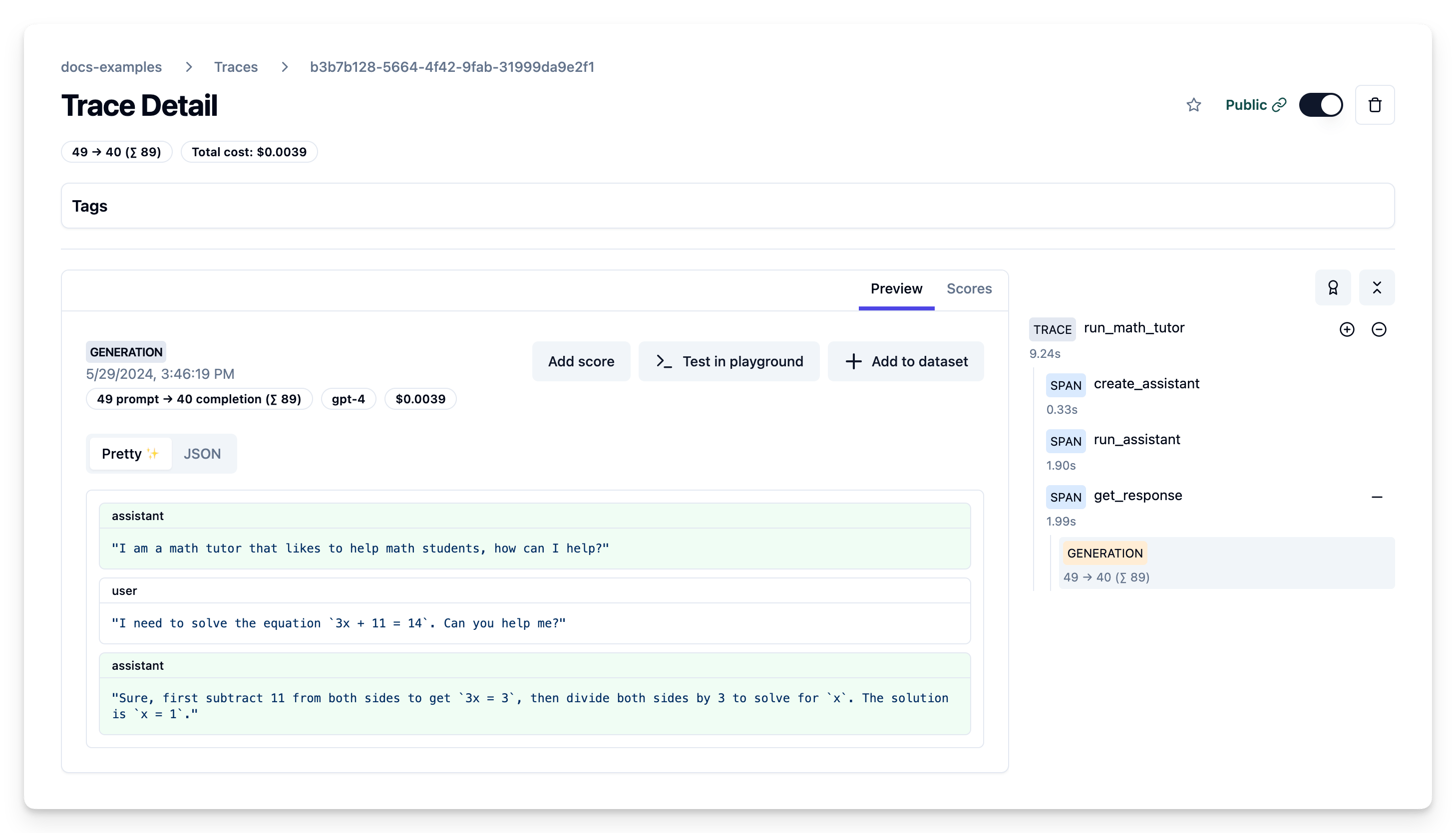
示例 trace 输出
设置
安装所需的依赖包:
注意: 本指南使用我们的 Python SDK v2。我们提供了基于 OpenTelemetry 的全新升级版 SDK。请查看 SDK v3,它更强大、使用更简单。
%pip install --upgrade openai "langfuse<3.0.0"设置环境:
import os

# Get keys for your project from the project settings page
# https://litefuse.cloud
os.environ["LANGFUSE_PUBLIC_KEY"] = ""
os.environ["LANGFUSE_SECRET_KEY"] = ""
os.environ["LANGFUSE_HOST"] = "https://litefuse.cloud"

# Your openai key
os.environ["OPENAI_API_KEY"] = ""
分步示例
1. 创建 Assistant
使用 client.beta.assistants.create 方法创建一个新的 assistant。或者,你也可以通过 OpenAI 控制台创建 assistant:
from langfuse import observe
from openai import OpenAI

@observe()
def create_assistant():
    client = OpenAI()

    assistant = client.beta.assistants.create(
        name="Math Tutor",
        instructions="You are a personal math tutor. Answer questions briefly, in a sentence or less.",
        model="gpt-4"
    )

    return assistant

assistant = create_assistant()
print(f"Created assistant: {assistant.id}")2. 运行 Assistant
创建一个 thread 并在上面运行 assistant:
@observe()
def run_assistant(assistant_id, user_input):
    client = OpenAI()

    thread = client.beta.threads.create()

    client.beta.threads.messages.create(
        thread_id=thread.id, role="assistant", content="I am a math tutor that likes to help math students, how can I help?"
    )
    client.beta.threads.messages.create(
        thread_id=thread.id, role="user", content=user_input
    )

    run = client.beta.threads.runs.create(
        thread_id=thread.id,
        assistant_id=assistant_id,
    )

    return run, thread

user_input = "I need to solve the equation `3x + 11 = 14`. Can you help me?"
run, thread = run_assistant(assistant.id, user_input)
print(f"Created run: {run.id}")
创建 message 和 trace 的示例 trace 公开链接
3. 获取响应
从 thread 中获取 assistant 的响应:
import json
from langfuse import get_client
langfuse = get_client()

@observe()
def get_response(thread_id, run_id):
    client = OpenAI()

    messages = client.beta.threads.messages.list(thread_id=thread_id, order="asc")
    assistant_response = messages.data[-1].content[0].text.value

    # get run for token counts
    run_log = client.beta.threads.runs.retrieve(
        thread_id=thread_id,
        run_id=run_id
    )

    message_log = client.beta.threads.messages.list(
        thread_id=thread_id,
    )
    input_messages = [{"role": message.role, "content": message.content[0].text.value} for message in message_log.data[::-1][:-1]]

    # log internal generation within the openai assistant as a separate child generation to Litefuse
    # get langfuse client used by the decorator, uses the low-level Python SDK
    langfuse_client = langfuse.client_instance
    # pass trace_id and current observation ids to the newly created child generation
    langfuse_client.generation(
        trace_id=langfuse.get_current_trace_id(),
        parent_observation_id=langfuse.get_current_observation_id(),
        model=run.model,
        usage_details=run.usage,
        input=input_messages,
        output=assistant_response
    )

    return assistant_response, run

response = get_response(thread.id, run.id)
print(f"Assistant response: {response[0]}")全部整合到一个 trace 中
import time

@observe()
def run_math_tutor(user_input):
    assistant = create_assistant()
    run, thread = run_assistant(assistant.id, user_input)

    time.sleep(5) # notebook only, wait for the assistant to finish

    response = get_response(thread.id, run.id)

    return response[0]

user_input = "I need to solve the equation `3x + 11 = 14`. Can you help me?"
response = run_math_tutor(user_input)
print(f"Assistant response: {response}")
Litefuse trace 展示了创建 assistant、在带用户输入的 thread 上运行它以及获取响应的完整流程,并附带捕获的输入/输出数据。
了解更多
如果你使用的是非 Assistants API 端点,可以使用 OpenAI SDK 包装器进行追踪。详情请查看 Litefuse 文档。