示例:在 Langchain(Python)中使用 Litefuse Prompt 管理


Litefuse Prompt 管理 帮助你在一个地方协作管理 prompt 并做版本控制。本示例演示如何在 Langchain 应用中使用已管理的 prompt。
此外,我们还通过原生的 Langchain 集成 使用 Litefuse Tracing 来检查和调试 Langchain 应用。
准备工作
%pip install langfuse langchain langchain-openai --upgradeimport os
# Get keys for your project from the project settings page: https://litefuse.cloud
os.environ["LANGFUSE_PUBLIC_KEY"] = "pk-lf-..."
os.environ["LANGFUSE_SECRET_KEY"] = "sk-lf-..."
os.environ["LANGFUSE_BASE_URL"] = "https://litefuse.cloud"
# Your openai key
os.environ["OPENAI_API_KEY"] = "sk-proj-..."from langfuse import get_client
from langfuse.langchain import CallbackHandler
# Initialize Langfuse client (prompt management)
langfuse = get_client()
# Initialize Langfuse CallbackHandler for Langchain (tracing)
langfuse_callback_handler = CallbackHandler()把 prompt 添加到 Litefuse Prompt 管理
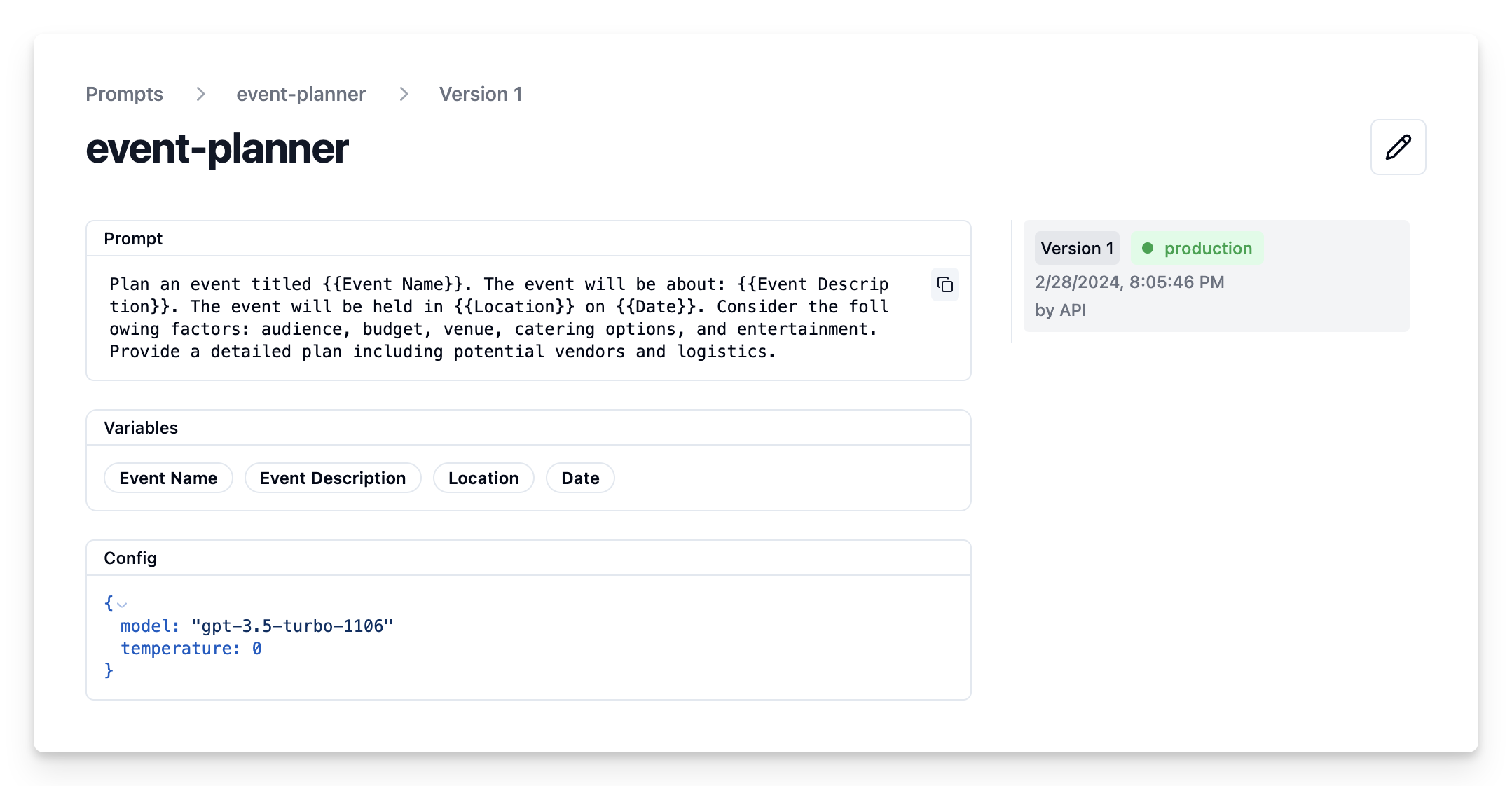
我们通过 SDK 来添加本示例中要用的 prompt。当然,你也可以在 Litefuse UI 中编辑和管理 prompt 的版本。
Name在 Litefuse Prompt 管理中标识该 prompt- prompt 内容包含 prompt 模板及
{{input variables}} - config 包含
model_name和temperature labels包含production,让该 prompt 立即作为默认版本使用
langfuse.create_prompt(
    name="event-planner",
    prompt=
    "Plan an event titled {{Event Name}}. The event will be about: {{Event Description}}. "
    "The event will be held in {{Location}} on {{Date}}. "
    "Consider the following factors: audience, budget, venue, catering options, and entertainment. "
    "Provide a detailed plan including potential vendors and logistics.",
    config={
        "model":"gpt-4o",
        "temperature": 0,
    },
    labels=["production"]
);
Litefuse UI 中的 prompt
示例应用
从 Litefuse 拉取当前的 prompt 版本
# Get current production version of prompt
langfuse_prompt = langfuse.get_prompt("event-planner")print(langfuse_prompt.prompt)Plan an event titled {{Event Name}}. The event will be about: {{Event Description}}. The event will be held in {{Location}} on {{Date}}. Consider the following factors: audience, budget, venue, catering options, and entertainment. Provide a detailed plan including potential vendors and logistics.转换为 Langchain PromptTemplate
使用工具方法 .get_langchain_prompt() 把 Litefuse 的 prompt 转换成 Langchain 可以使用的字符串。
背景:Litefuse 在 prompt 模板中使用双花括号声明输入变量({{input variable}})。Langchain 的 PromptTemplate 使用单花括号声明输入变量({input variable})。工具方法 .get_langchain_prompt() 会把双花括号替换为单花括号。
同时把 Litefuse 的 prompt 作为元数据传给 PromptTemplate,这样使用该 prompt 的 generation 就会自动被关联起来。
from langchain_core.prompts import ChatPromptTemplate

langchain_prompt = ChatPromptTemplate.from_template(
        langfuse_prompt.get_langchain_prompt(),
        metadata={"langfuse_prompt": langfuse_prompt},
    )
从 prompt.config 中提取配置项
model = langfuse_prompt.config["model"]
temperature = str(langfuse_prompt.config["temperature"])
print(f"Prompt model configurations\nModel: {model}\nTemperature: {temperature}")
Prompt model configurations Model: gpt-4o Temperature: 0
基于 prompt 创建 Langchain 链
from langchain_openai import ChatOpenAI

model = ChatOpenAI(model=model, temperature=temperature)

chain = langchain_prompt | model
调用链
example_input = {
    "Event Name": "Wedding",
    "Event Description": "The wedding of Julia and Alex, a charming couple who share a love for art and nature. This special day will celebrate their journey together with a blend of traditional and contemporary elements, reflecting their unique personalities.",
    "Location": "Central Park, New York City",
    "Date": "June 5, 2024"
}
# we pass the callback handler to the chain to trace the run in Langfuse
response = chain.invoke(input=example_input,config={"callbacks":[langfuse_callback_handler]})
print(response.content)在 Litefuse 中查看 trace
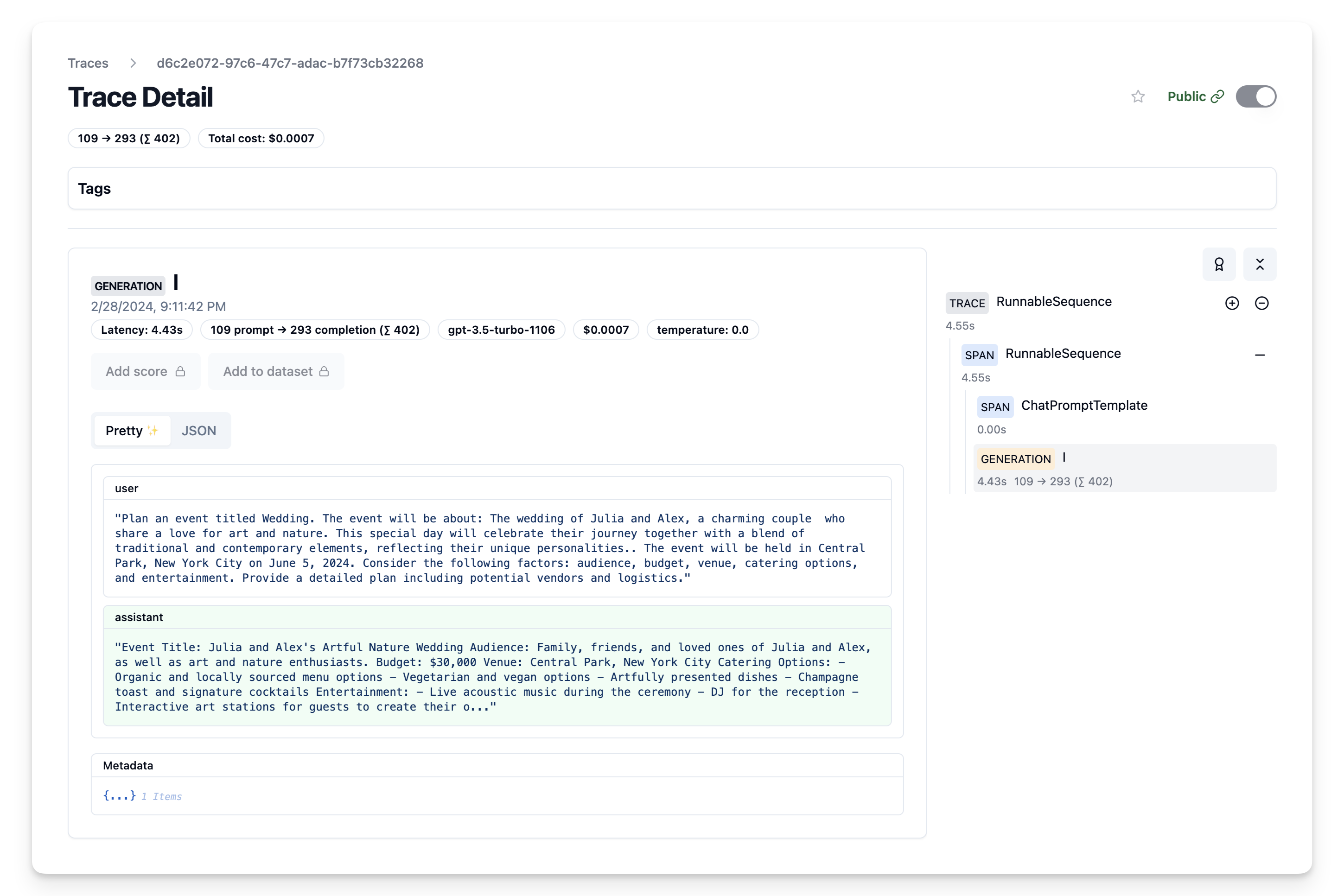
现在我们可以看到 trace 以及对应的 prompt 模板都已被记录到 Litefuse 中
在 Litefuse 中迭代 prompt
我们可以继续在 Litefuse UI 中调整 prompt 模板,然后通过上面的脚本持续更新 Langchain 应用中使用的 prompt 模板。
这个页面对你有帮助吗?